
How Open Bags Work
Open bags let a customer collect items across several of your drops and have them shipped together — instead of getting a separate package every time they win.
- An open bag groups a customer’s wins so you can ship them together in one package.
- They still pay for each item as they win it — the bag doesn’t bundle payment.
- It simply flags the order so you know not to ship yet, because they may add more.
What an open bag is
An open bag is a simple hold on shipping. The customer has bought items, but they’re still shopping your drops and may add more. In plain terms: “Don’t ship yet — they might add more.”
- Customers can keep shopping across your drops.
- New wins get added to the same bag.
- You ship everything together when the bag closes.
How it works, step by step
-
A customer wins one or more items
They might win a single item or several from the same drop — they check out and pay as usual.
-
They start an open bag
If you’ve enabled open bags, the customer can choose to keep an open bag at checkout.
-
More wins join the same bag
As they win more — later in this drop or in your next ones — those items are added to the same open bag.
-
You hold shipping
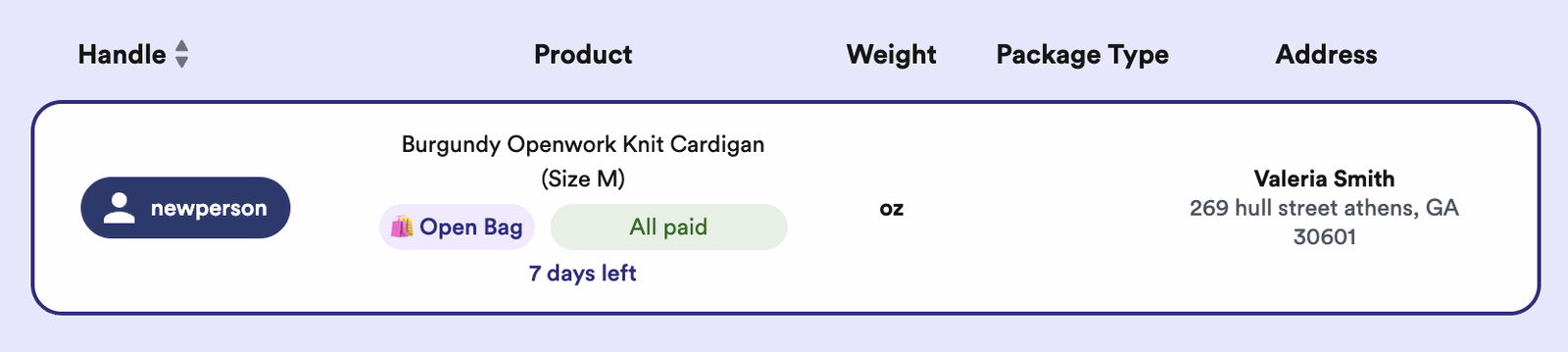
The open bag shows on your Orders page under Order management, so you know not to ship yet.
-
Ship it all together
When the bag closes, you ship everything in one package — fewer shipments and lower costs.
How long bags stay open
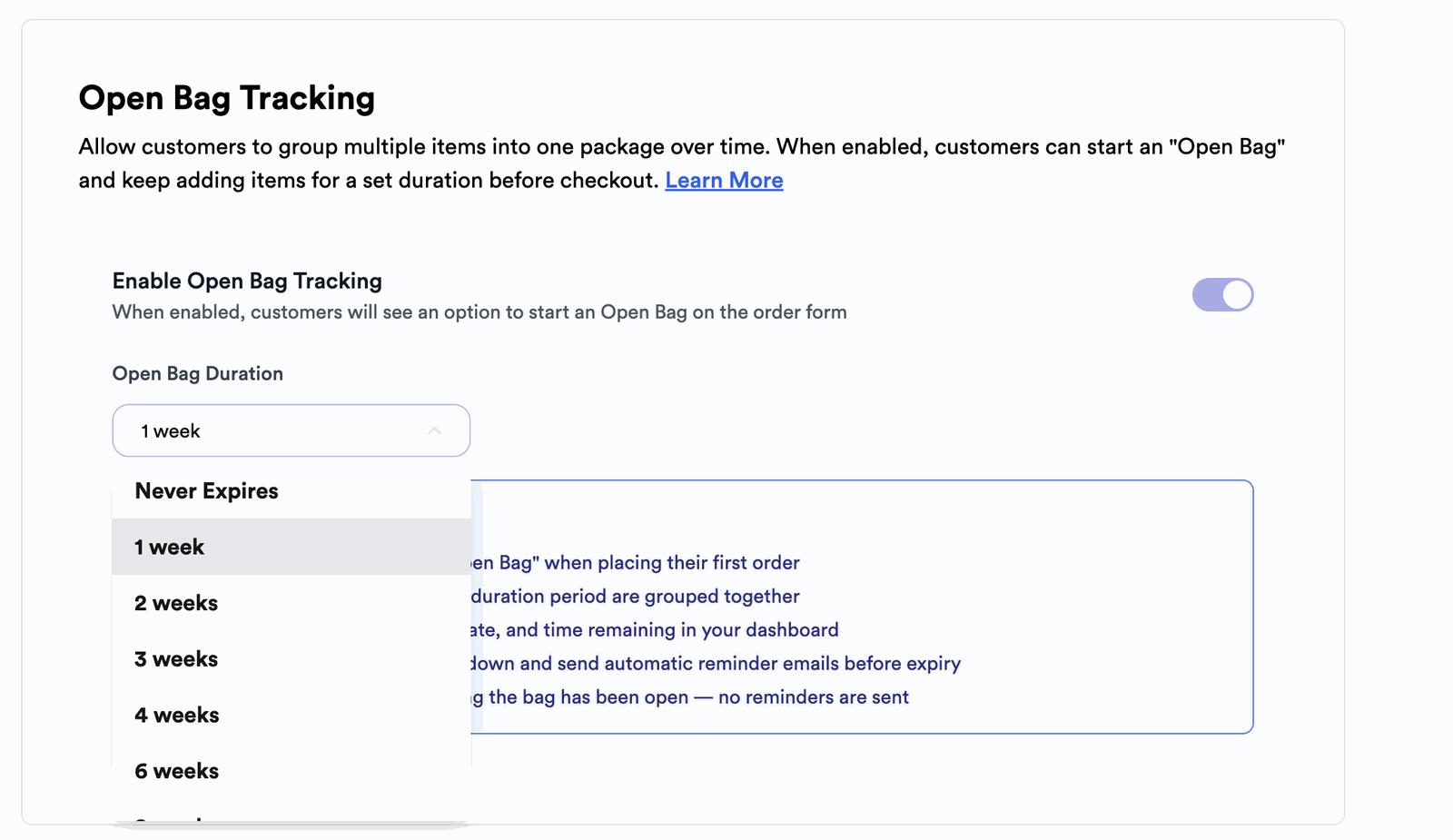
You can turn open bags on and set how long they stay active in two places — your Sales Assistant settings or your Form settings (under your regular settings). Whichever you use, a bag can be set to:
- Never expire — it stays open until you or the customer close it.
- A set length from 1 to 8 weeks — pick the timeframe that matches how often you run drops.
Reminders before a bag closes
For bags with an expiry, Thryft Ship automatically sends the customer a reminder before the bag closes, so nothing gets forgotten. (Bags set to never expire stay open until they’re closed.)
How to close a bag
A bag can be closed by you or by the customer. How depends on the way they shop with you:
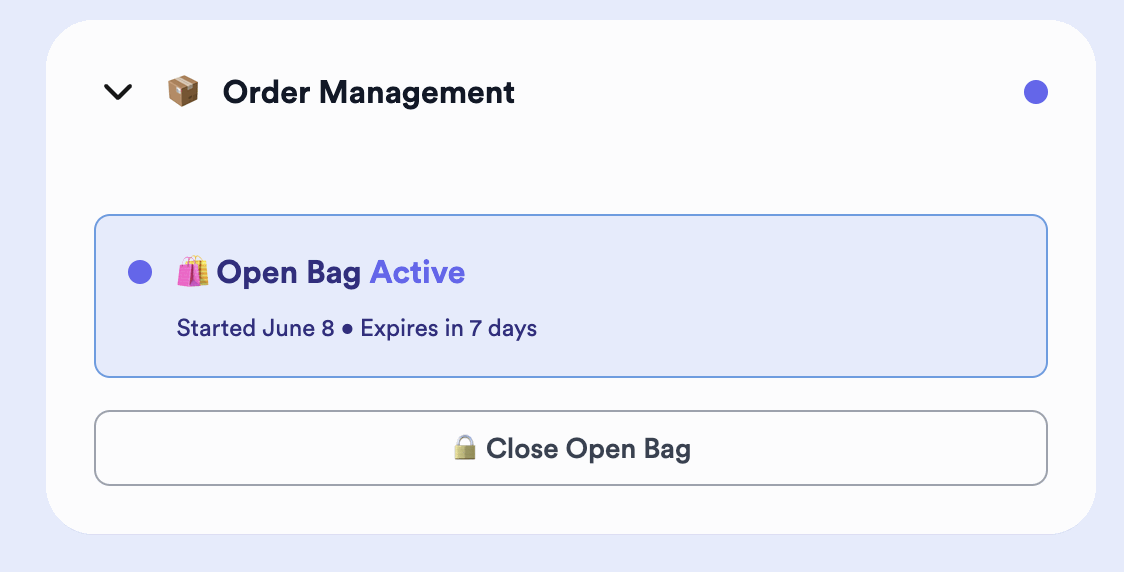
- You (the seller) — close any open bag from your Orders page, under Order management.
- Sales Assistant customers — they can tap Close bag in their DM at any time.
- Payments customers who just want to close (and aren’t buying anything more) — send them your customer link and they can close the bag there, or you can close it for them on your dashboard.
- Customers not using Thryft Ship Payments — they open your link, click Close bag, then click Submit without changing anything.

Common questions
Does the customer pay all at once at the end?
No — they pay for each item as they win it. The open bag only affects shipping, telling you to hold the order so you can combine it.
How long can a bag stay open?
You choose: it can never expire, or run for a set length from 1 to 8 weeks.
How do I know not to ship an order?
The open bag shows on your Orders page under Order management, so bagged orders are easy to spot.
Want help setting up open bags for your regulars? Reach out anytime.


