
New Feature Alert: Local Pickups
Not every order needs a label. Many sellers have loyal customers nearby who prefer to pick up their purchases in person. Until now, keeping those local orders organized alongside shipped ones hasn’t been simple. That changes today.
We’re excited to introduce Local Pickups — a simple way to track and manage pickup orders right inside Thryft Ship.
Why Local Pickups Matter
When sales happen in DMs, it’s easy to lose track of who’s picking up versus who needs a label. Some sellers keep separate notes, others try to remember on the fly — both can get messy. Local Pickups keeps everything in one place so you can stay organized and move quicker.
How It Works
- Enable the feature in Settings. Turn on Local Pickups in your Thryft Ship settings.
- Buyers select “Local Pickup.” When filling out your form, customers can mark the order as a pickup.
- Stay organized in your dashboard. Pickup orders are clearly labeled so you always know which are shipping and which are pick up.
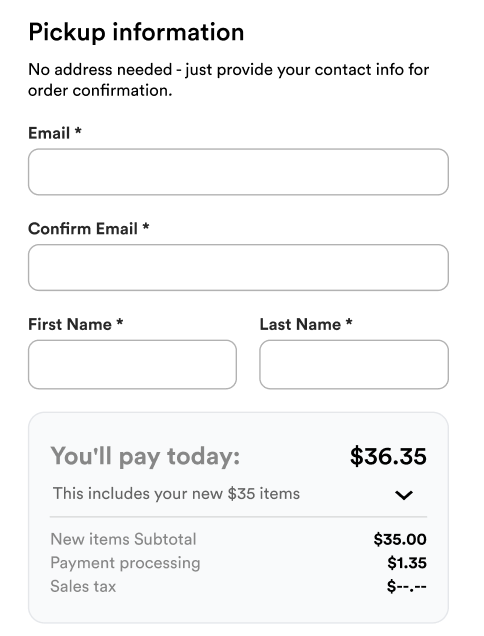
What This Does Right Now
This first release focuses on organization — clearly distinguishing pickup orders from shipped orders and keeping everything in one workflow. No extra tools, no juggling separate lists.
What’s Coming Next
This is just the beginning. We’re already exploring ways to make local pickups even smoother, like:
- Automated pickup reminders
- Saved pickup notes or meeting spots
- Optional pickup windows and status tracking
Stay tuned — we’re building to make local handoffs as seamless as your shipments.


