
How to Buy Multiple Shipping Labels in One Go
Tired of buying labels one at a time? You don’t have to. Thryft Ship lets you rate, check out, and download several labels at once — grouped into one PDF with a single SCAN form.
- Add the package type, dimensions, and weight to each order in your Orders section.
- Rate them all with Get Shipping Rates (all at once or one by one), then check out once.
- Download one combined PDF and one SCAN form for the whole batch.
Why buy multiple at once?
- One PDF — all your labels grouped into a single file for easy printing.
- One SCAN form — USPS scans every package with a single barcode at drop-off.
- Fewer clicks — rate and pay for everything together instead of repeating the flow.
How it works
-
Add package details to each order
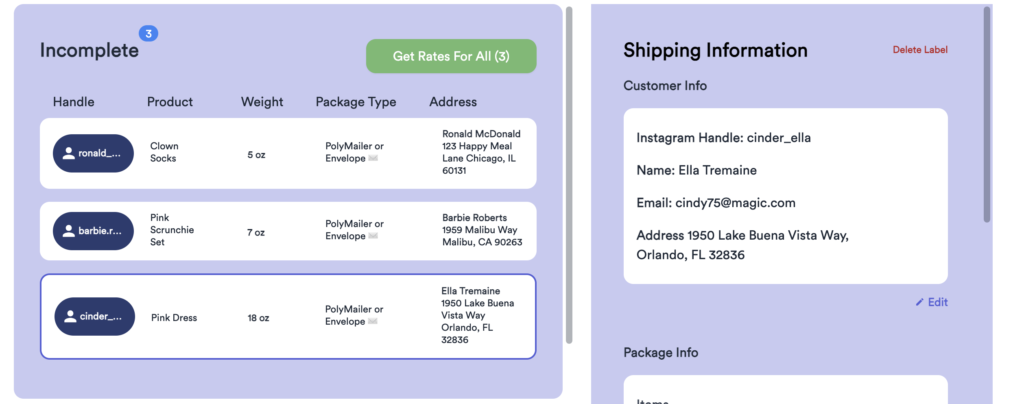
For any order in your Orders section, add the package type, dimensions, and weight (plus a shipping address if it’s missing) so it’s ready to rate.
-
Get rates — all at once, or one by one
Then either click the Get Shipping Rates button to rate all your ready orders at once, or click Get Rates on each order one by one and add them to your cart.
-
Add to cart and check out together
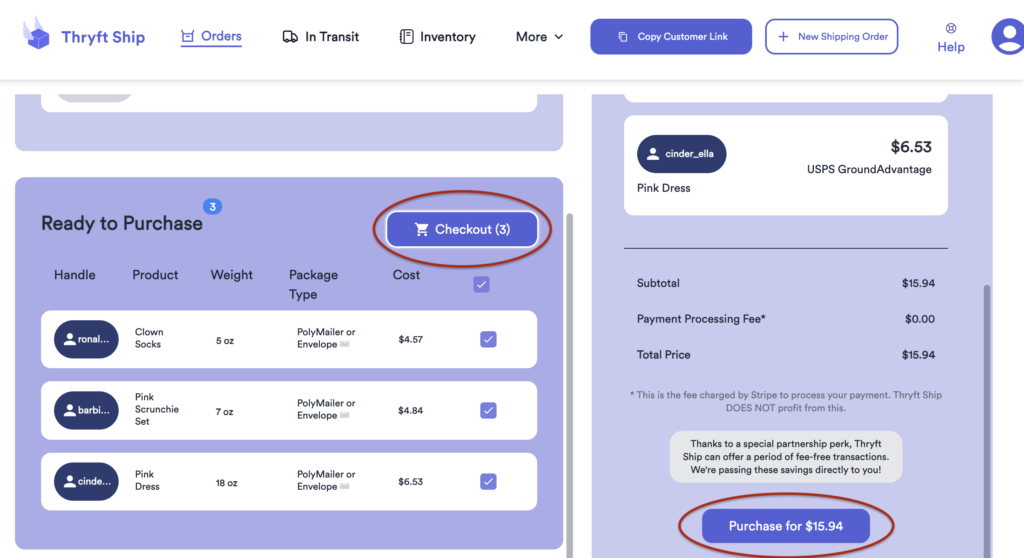
Add the rated orders to your cart and click Purchase Labels to buy them all in one checkout.
-
Download one combined PDF and SCAN form
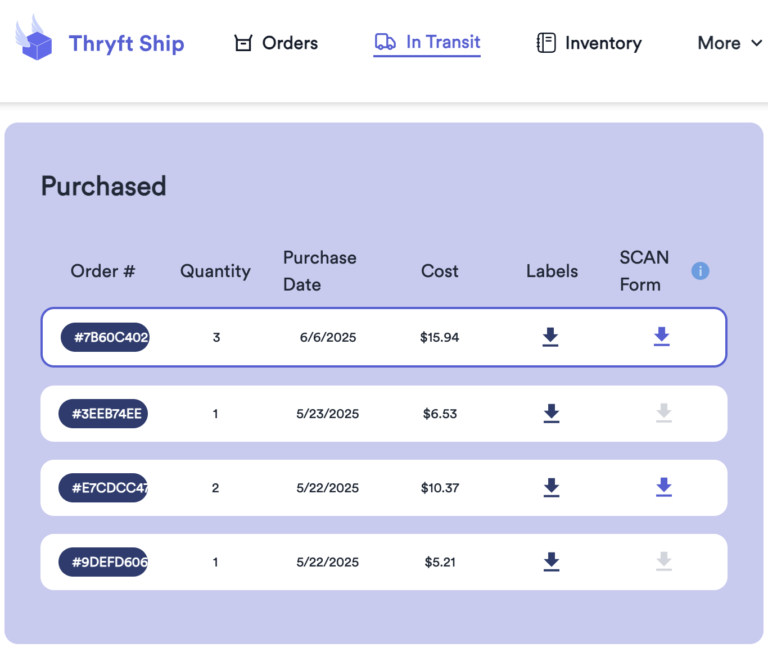
From the Purchased tab, download your labels as a single PDF and grab the one SCAN form that covers the whole batch. More on SCAN forms →
Common questions
Do I get a discount for buying several labels at once?
Buying in bulk mainly saves you time and clicks — your labels come grouped into one PDF with a single SCAN form. Each label is still priced by its own service and package details.
Where do the labels download from?
The Purchased tab — see How to Download Your Shipping Labels.
Can I still print them two per page?
Yes — see How to Print Labels Two Per Page.
Got a big batch to ship? This is the fastest way through it — reach out if you hit a snag.


