
How to Use the Get Shipping Rates Button
The Get Shipping Rates button finds the cheapest available rate for your finished labels in one click — so you’re not choosing a rate one order at a time.
- Get Shipping Rates auto-selects the cheapest available rate for your completed labels.
- One click moves those labels into Ready to Purchase.
- Great when you’re processing a lot of orders at once.
What it does
For every order that has its details filled in, Get Shipping Rates automatically picks the cheapest available rate and moves the label to your Ready to Purchase list — so you can buy them all in one go instead of pricing each order by hand.
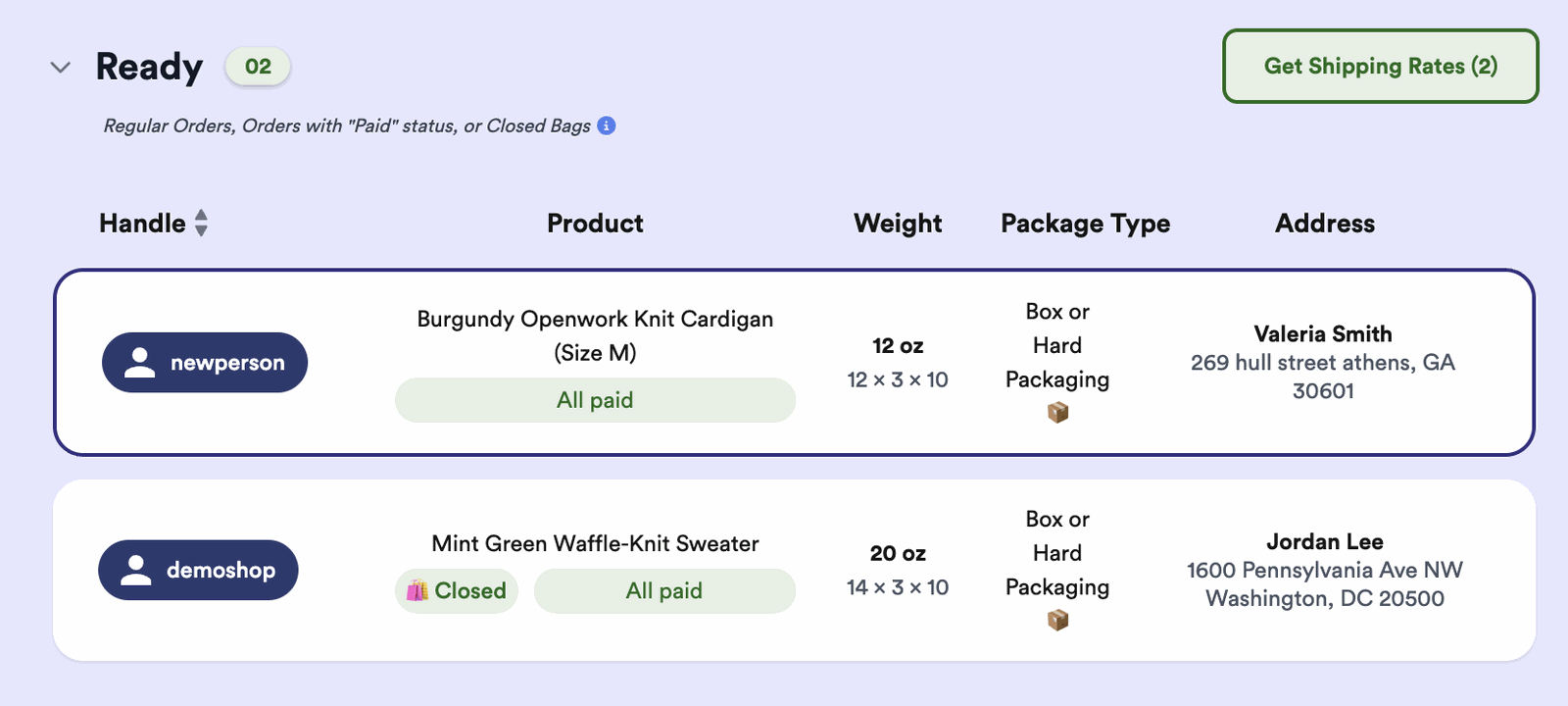
How to use it
-
Complete your labels
Make sure each order has its shipping address and package info (weight and dimensions) filled in.
-
Click Get Shipping Rates
Thryft Ship automatically selects the cheapest available rate for every completed label.
-
Review and purchase
Your labels move to Ready to Purchase, where you can buy them all together.
Common questions
Is this the same as Quick-Add?
Yes — Quick-Add is now the Get Shipping Rates button. The feature works the same way.
Which rate does it pick?
The cheapest available rate for each completed label.
Where do my labels go after?
Into your Ready to Purchase list, so you can buy them in one batch.
Processing a big batch of orders? Reach out if you’d like a hand.


