
How the Shipping Line Item Works in Orders
The Shipping line item is how you attach a shipping cost to an order. Here’s what it does, how it shows up at checkout, and how it works with automatic shipping rules.
- The Shipping line item assigns a shipping cost to an order.
- With Payments on, it’s shown to the customer and added to their total.
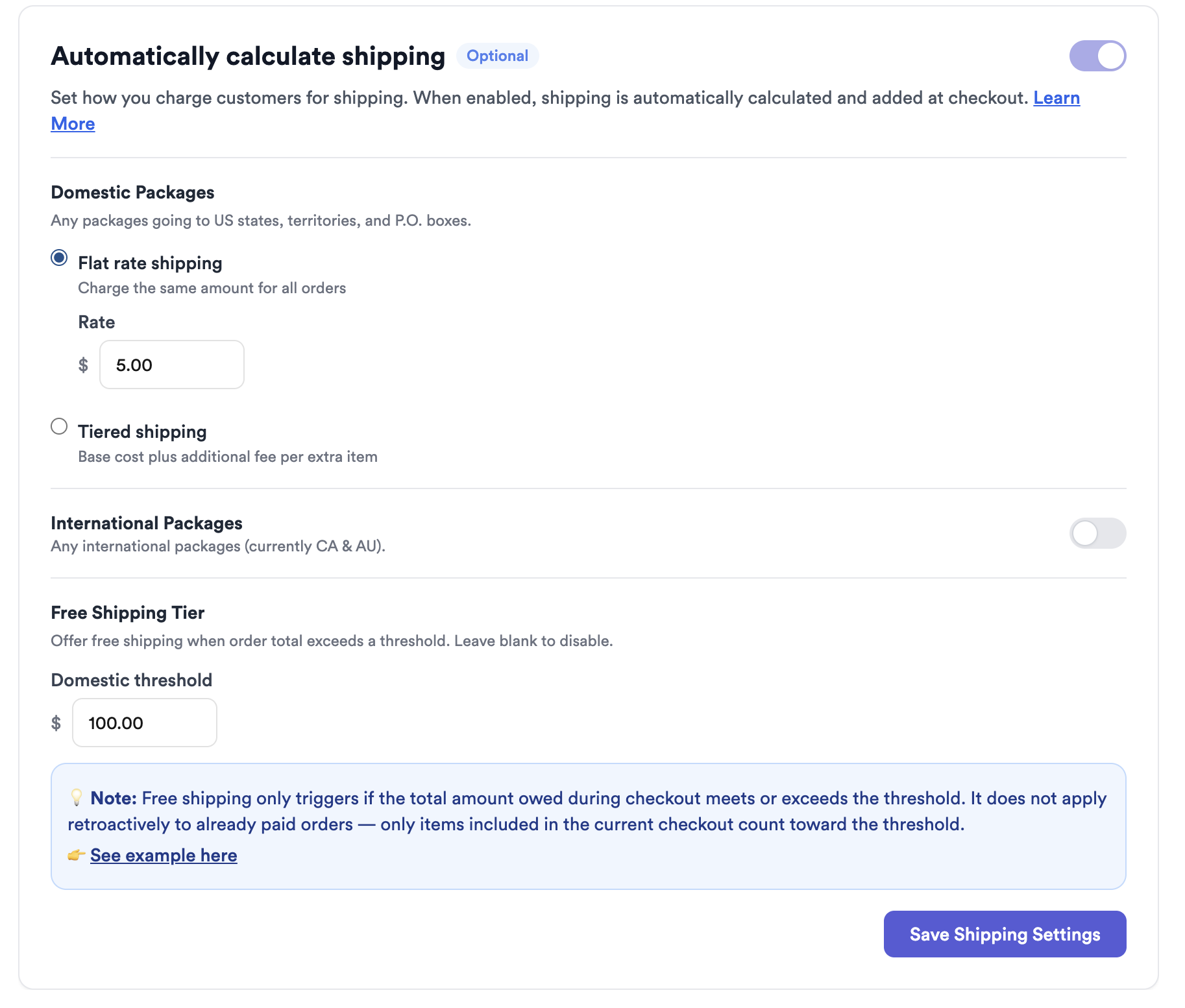
- You can set it manually (flat, tiered, or exact) or let automatic shipping fill it in.
What the Shipping line item is
Inside every order, Thryft Ship lets you add a Shipping line item — simply a way to assign a shipping cost to that order.
- If you accept Thryft Ship Payments: the shipping amount can be shown to your customer at checkout and included in the total they pay.
- If you use third-party payments: you can still add shipping to keep track of what you charged, even though the payment happens elsewhere.
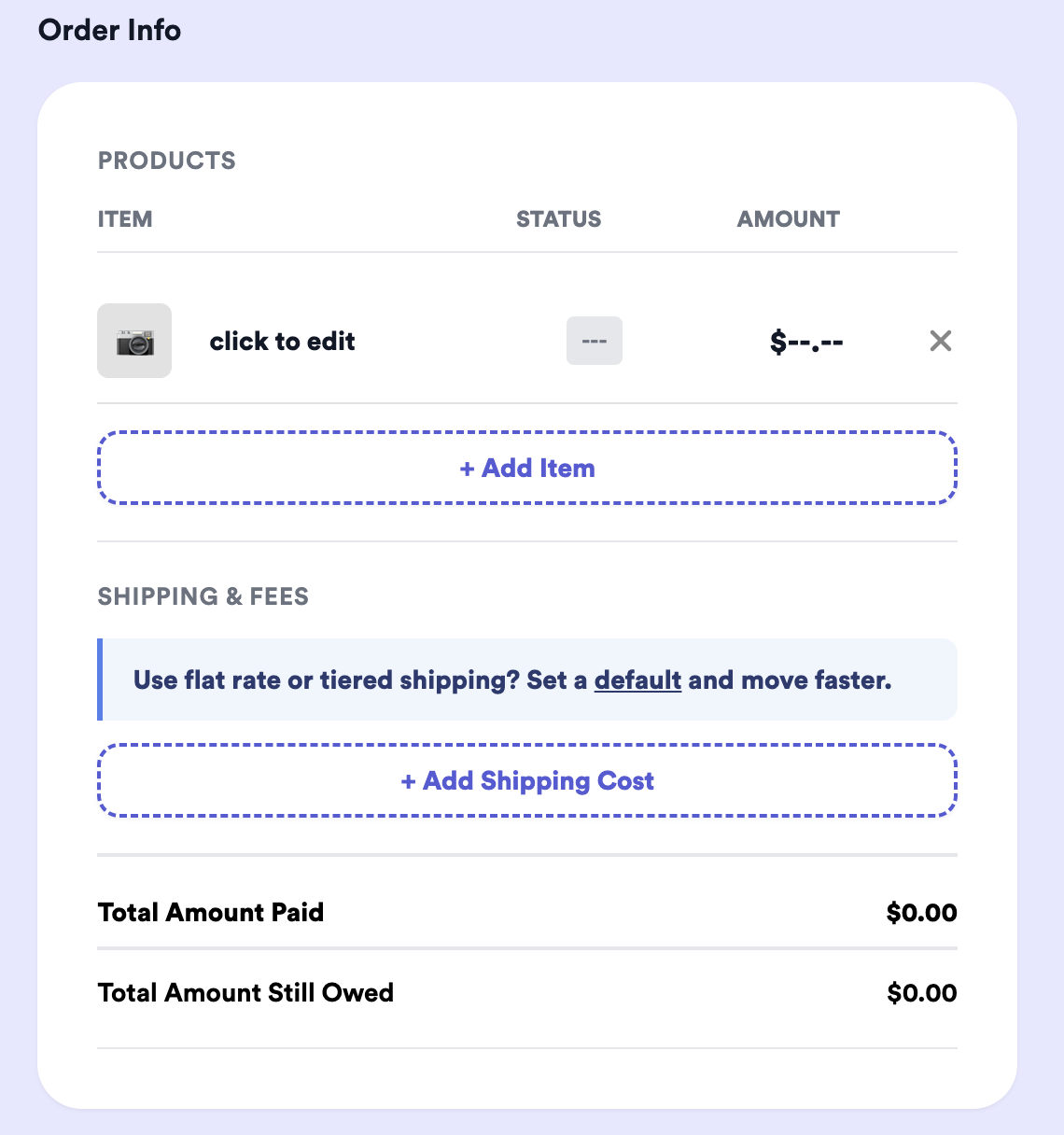
How it appears at checkout
When Payments is on, the shipping amount shows as its own line on the customer’s checkout and is rolled into their total — no separate request needed.
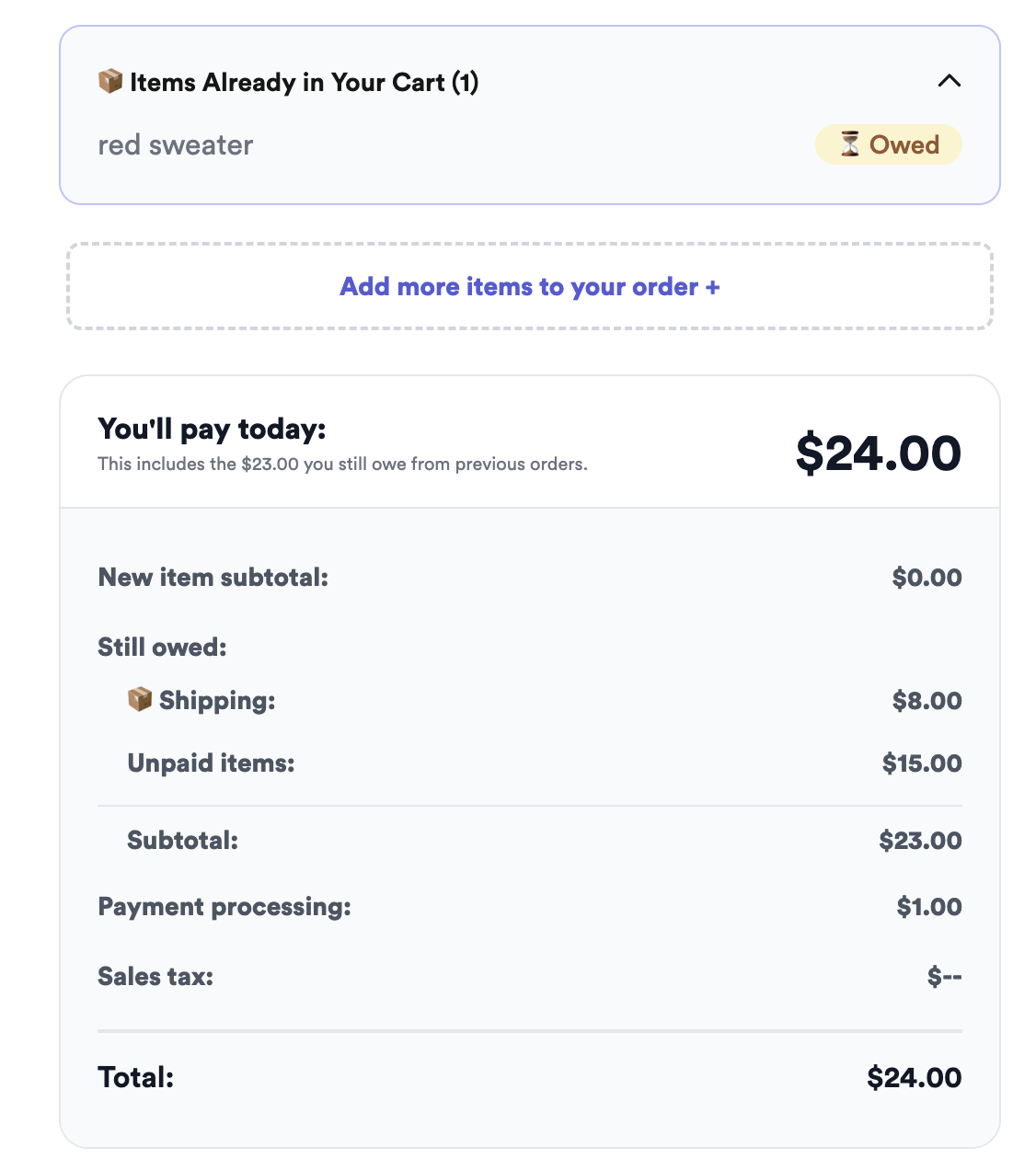
Adding a shipping cost manually
Open the order and enter an amount in the Shipping line item before sending the checkout link. Sellers typically use it three ways:
- Flat rate — the same shipping price on every order.
- Tiered / per-item — a base price plus a bit more per additional item.
- Exact — the precise label cost. You don’t have to buy the label first — use the rate estimator or click Get Rates and go back to see the cost, then enter it.
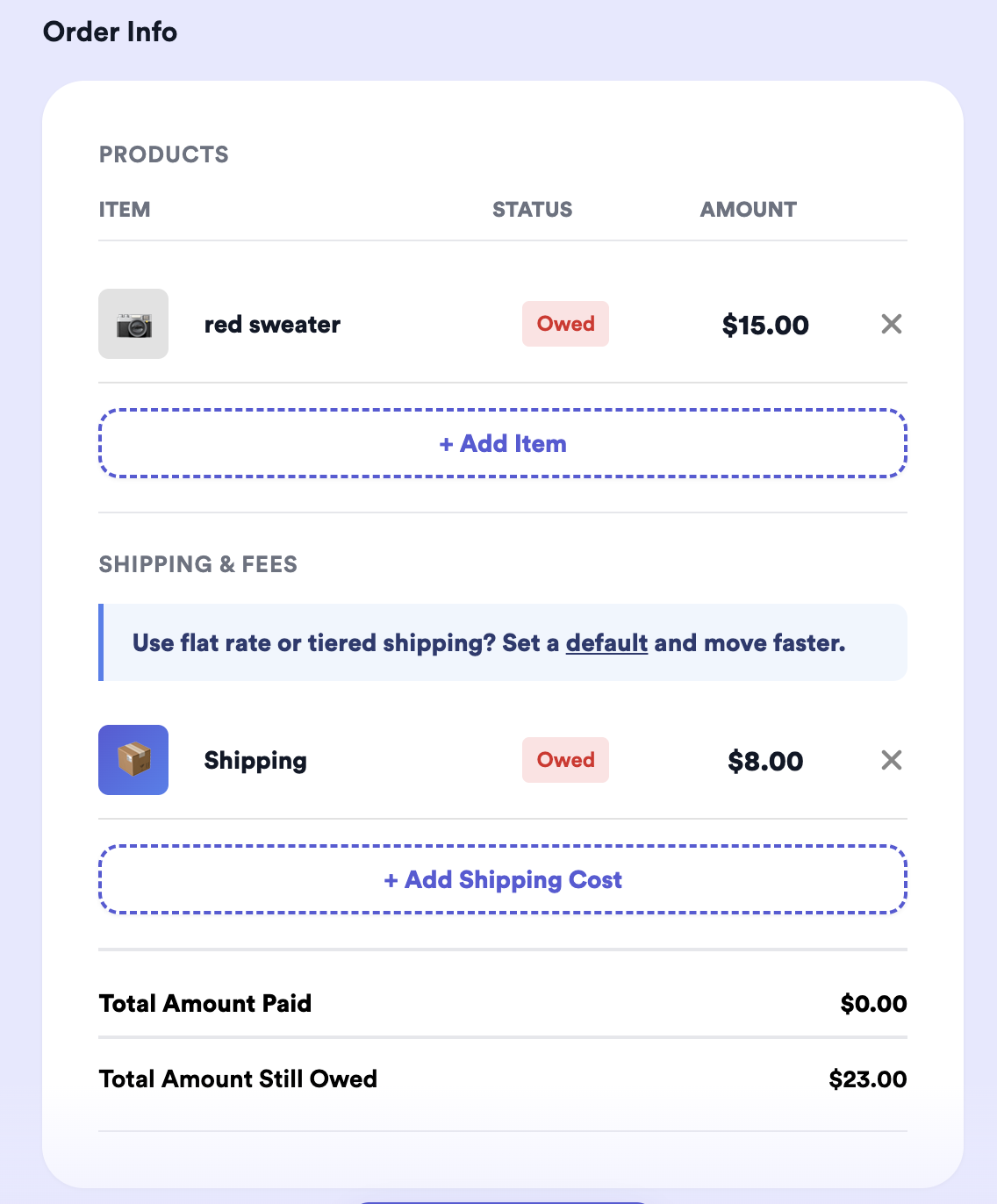
With Exact Shipping, the line starts blank
If you use Exact Shipping, the Shipping line behaves a little differently: your buyer pays for their items first, and the Shipping line shows up blank (Owed $--.--) for you to fill in once you know the real carrier cost. You add the exact amount on shipping day, and your buyer pays it through the same link. See How Exact Shipping Works for the step-by-step.
Common questions
Does the customer see the shipping amount?
Yes, when you use Thryft Ship Payments — it’s a line on their checkout, included in the total.
Can I change shipping on just one order?
Yes — override the Shipping line item on that order anytime before you send the checkout link.
What if I do local pickup?
No shipping charge is needed for local pickup orders.
Deciding what to charge? See How to Charge for Shipping with Thryft Ship Payments for flat-rate and tiered strategies.


