
How to Charge for Shipping with Thryft Ship Payments
The easiest way to charge customers for shipping is a flat-rate or tiered policy, all in one checkout. Here’s how each option works — and why a single payment saves you money on fees.
- Use a flat-rate or tiered shipping charge — it’s faster at checkout and reduces back-and-forth.
- Charge shipping in the same checkout as the item, not as a separate payment — fewer fees.
- You can charge exact shipping manually, but it’s slower and we don’t recommend separate payments.
The recommended approach: flat-rate or tiered
If you’re using Thryft Ship Payments (powered by Stripe), the simplest way to charge shipping is a flat-rate or tiered policy. It’s faster at checkout, means less typing, and cuts down on back-and-forth with customers.
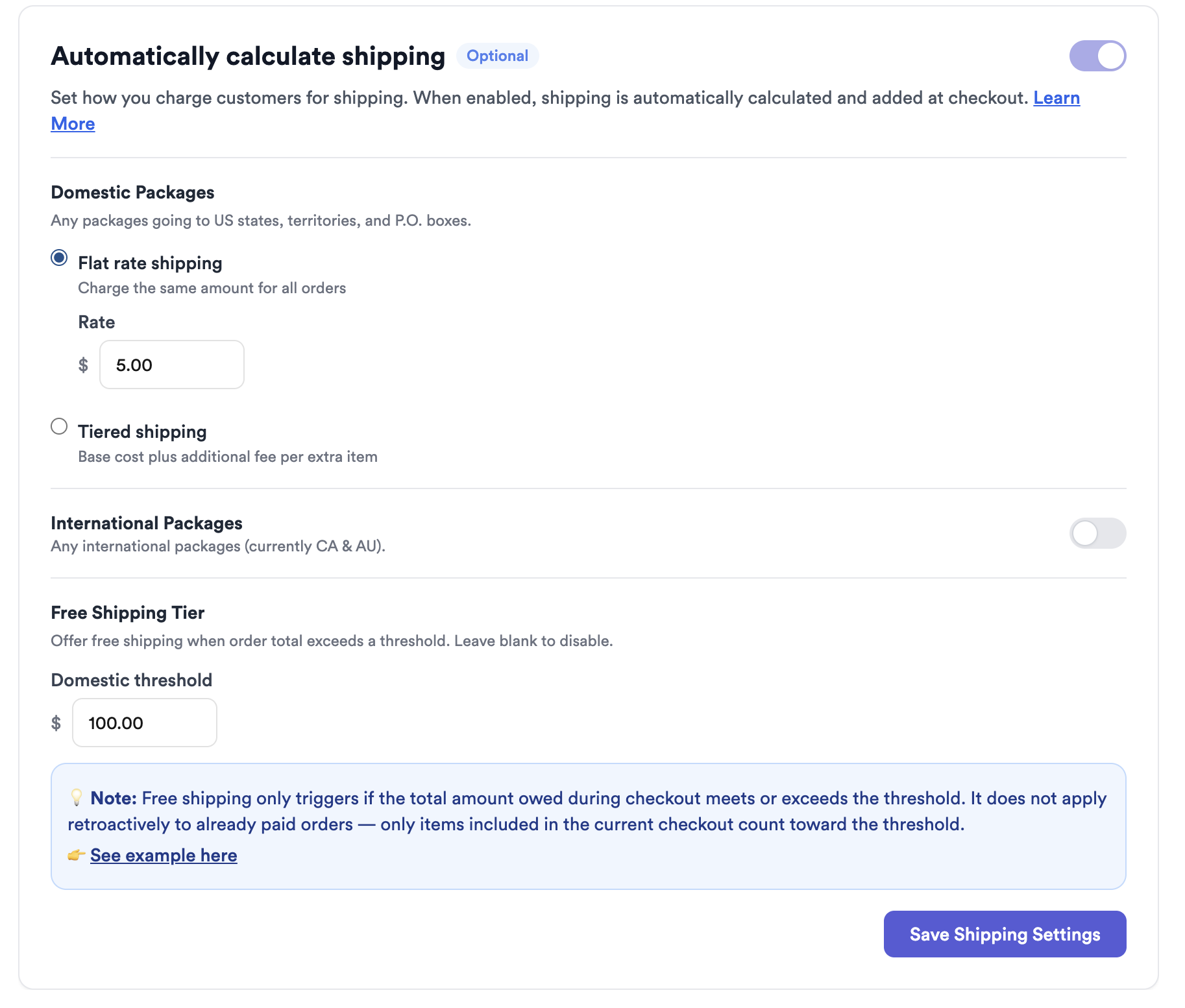
- Flat rate — one set shipping price for every order (e.g. $5 shipping, always).
- Tiered — a base price plus a little more per additional item, often with a cap.
Tiered example: $7 + $1 per additional item (max $10)
A popular setup: charge $7 for the first item, +$1 for each additional item, capped at $10. So one item is $7, three items is $9, and anything five items or more stays at $10. Simple for you, predictable for your buyer.
Why one checkout is better (fees matter)
Charge the item and the shipping together in a single checkout. Every separate payment runs its own Stripe processing fee, so splitting the item and shipping into two payments means you pay that fee twice. One combined charge keeps more money in your pocket.
How manual (exact) shipping works
Prefer to charge the exact shipping cost? Add it manually as a shipping line item on the order before sending the checkout link.
You don’t need to buy the label first to know the cost — use the rate estimator, or click Get Rates and then go back, to see the price. Then enter that amount as the shipping charge.
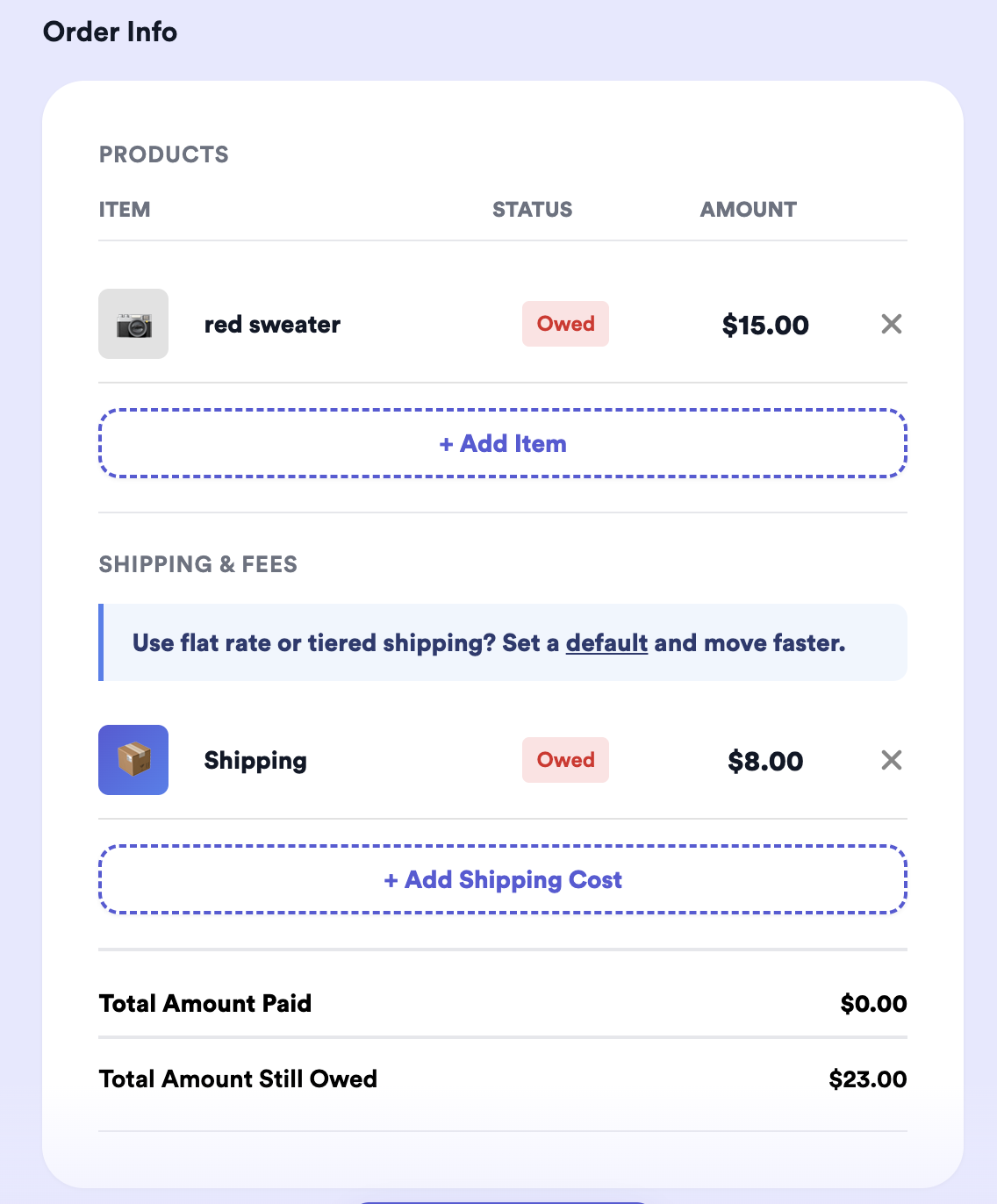
Even easier: turn on the Exact Shipping setting in Thryft Ship Payments and we handle this for you — the shipping line starts blank, you add the real carrier rate on shipping day, and your buyer pays it through the same link (no 2% fee on shipping). See How Exact Shipping Works.
Let Thryft Ship calculate it automatically
Even easier: turn on automatic shipping calculation in your Accept Payments settings. Set a flat rate, tiered rule, or free-shipping threshold once, and Thryft Ship fills the shipping charge in on every new order (you can still override it). Local pickup orders are automatically skipped — no shipping is charged. Full walkthrough: How the Automatic Shipping Calculation Setting Works.
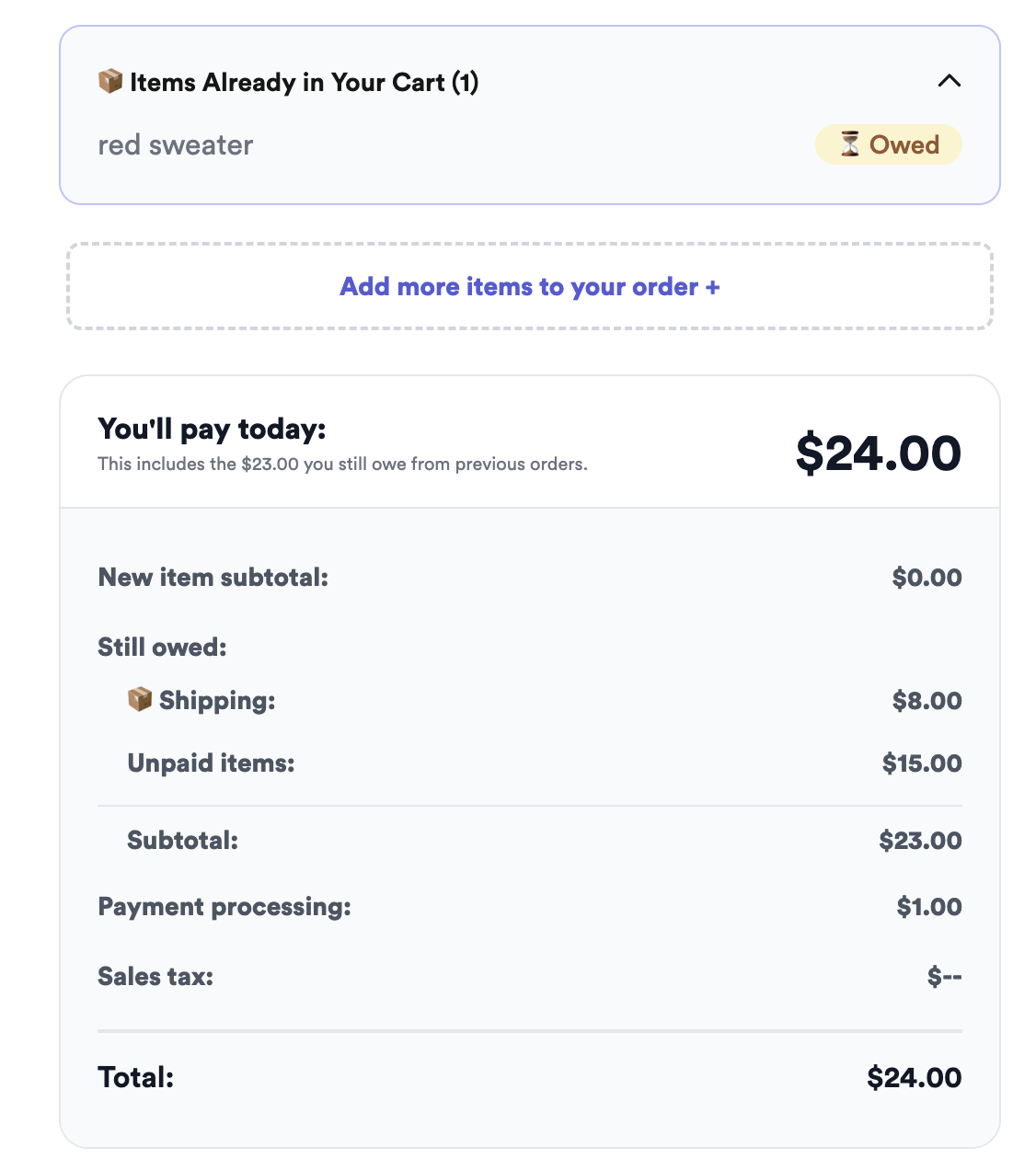
However you set it, the customer sees the shipping amount in their checkout total:
Common questions
Flat rate or tiered — which should I pick?
Flat rate is simplest if your items ship similarly. Tiered is better if buyers often order multiple items, so heavier carts pay a bit more (up to your cap).
Can I charge the exact USPS cost?
Yes — add it manually as a shipping line item. It’s precise but slower than a flat/tiered policy.
Where does the shipping charge show up?
As a line on the customer’s checkout, included in their total. See How the Shipping Line Item Works.
Want the full picture of the buyer side? See How Customers Pay with Thryft Ship Payments and the complete Payments guide.


