
An Item Failed to Post (Media Error) — What Do I Do?
Every so often Instagram randomly fails to post one of your items. No worries — it’s not you, it’s an easy recovery, and Thryft Ship walks you through exactly what to do.
- Instagram occasionally fails a post at random — it happens.
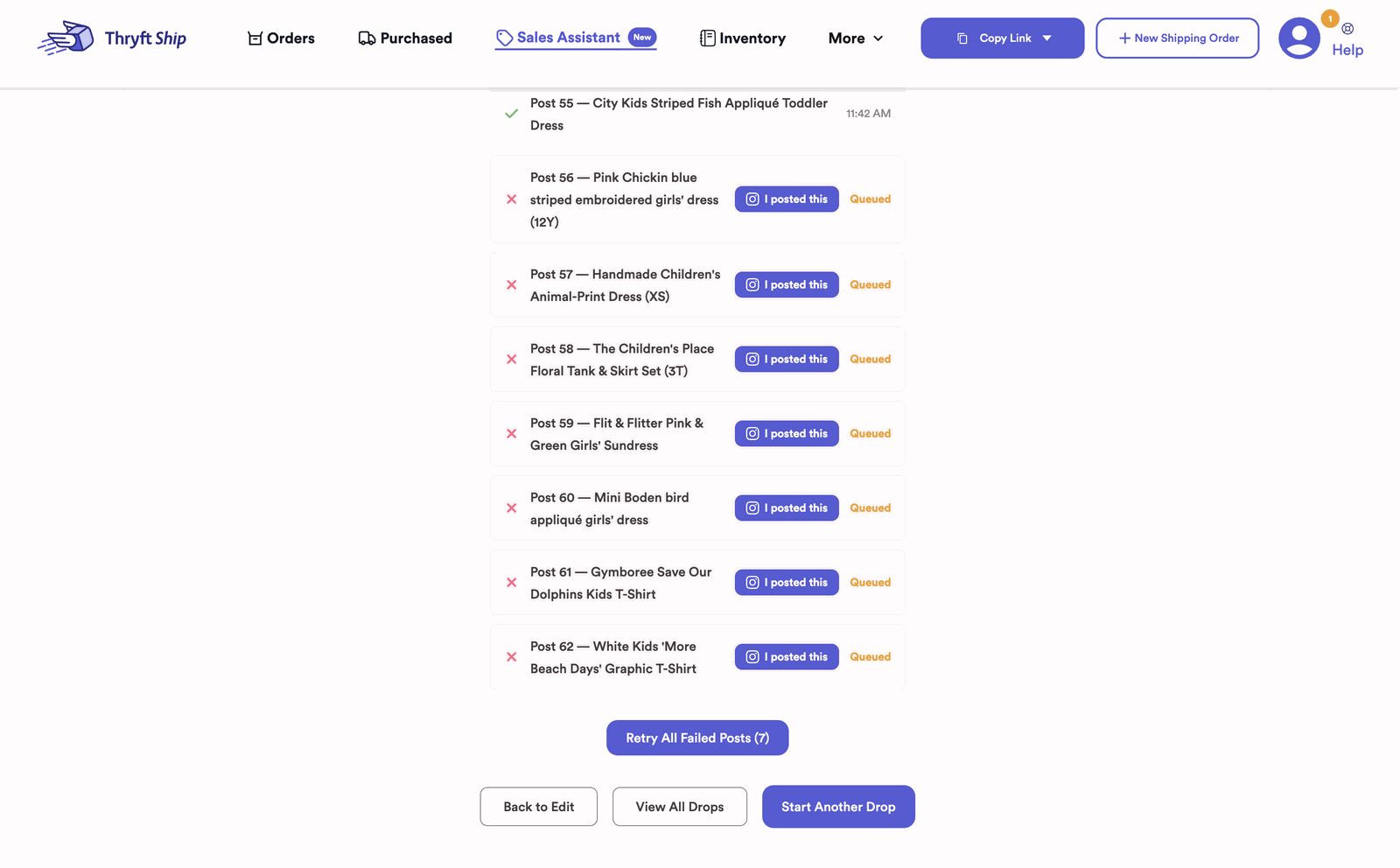
- Once the rest of your drop finishes posting, you can Retry Posting that item.
- Or post it yourself, hit “I posted this”, and click your post to link it — so comments and checkout still work.
Why it happens
Sometimes Instagram will randomly fail a post — it’s a hiccup on their end, not something you did. Thryft Ship is built to catch it and walk you through the fix, so nothing is lost.
Your two options
Both become available after the rest of your drop finishes posting (items post one at a time, about a minute apart):
-
Retry posting
On the item that failed, click Retry Posting and Thryft Ship tries to post it again for you.
-
Or post it yourself and link it back
Pull the item’s caption from your Inventory, copy it, and post the item on Instagram yourself. Then click the “I posted this” button next to the failed item — all your unlinked Instagram posts pop up, and you literally just click the matching post to link it. Easy. From there, comments and checkout work exactly like an automatically posted item.
Common questions
Did I do something wrong?
No — Instagram just fails a post now and then. Thryft Ship flags it and gives you a Retry or Link option.
Where do I get the caption to post it myself?
Copy it from the item in your Inventory, then paste it when you post on Instagram.
Will comments and checkout still work if I post it manually?
Yes — once you link it (hit “I posted this” and pick your post), that item behaves just like an auto-posted one. More in managing big drops.


