
How Comments Work
Once your drop is live, the Sales Assistant watches the comments for you — reading bids, replying to customers, and flagging questions. Here’s how it reads and responds.
- The assistant reads bid amounts from comments (the numbers) — no special words needed.
- Each bid must be at least $1 more than the current high bid.
- Buy It Now: a bid at or above your BIN price wins instantly.
- It auto-replies to bids, notifies outbid and winning customers, and flags questions for you.
How bidding works
Customers just comment a number. The assistant reads the bid amount from the comment — there are no trigger words like “SOLD” or “MINE” to remember. Each new bid has to be at least $1 higher than the current high bid; lower or invalid comments are rejected.
Example: an item is sitting at $10. A comment of “12” is a valid $12 bid. A comment of “10” or “10.50” is below the next valid bid ($11) and gets rejected.
Two handy settings live alongside bidding: you can set a minimum bid increment per item (bids default to at least
How Buy It Now works
above the current bid, and you can raise that), and you can block a specific bidder by username in your Sales Assistant settings if someone’s causing trouble.How Buy It Now works
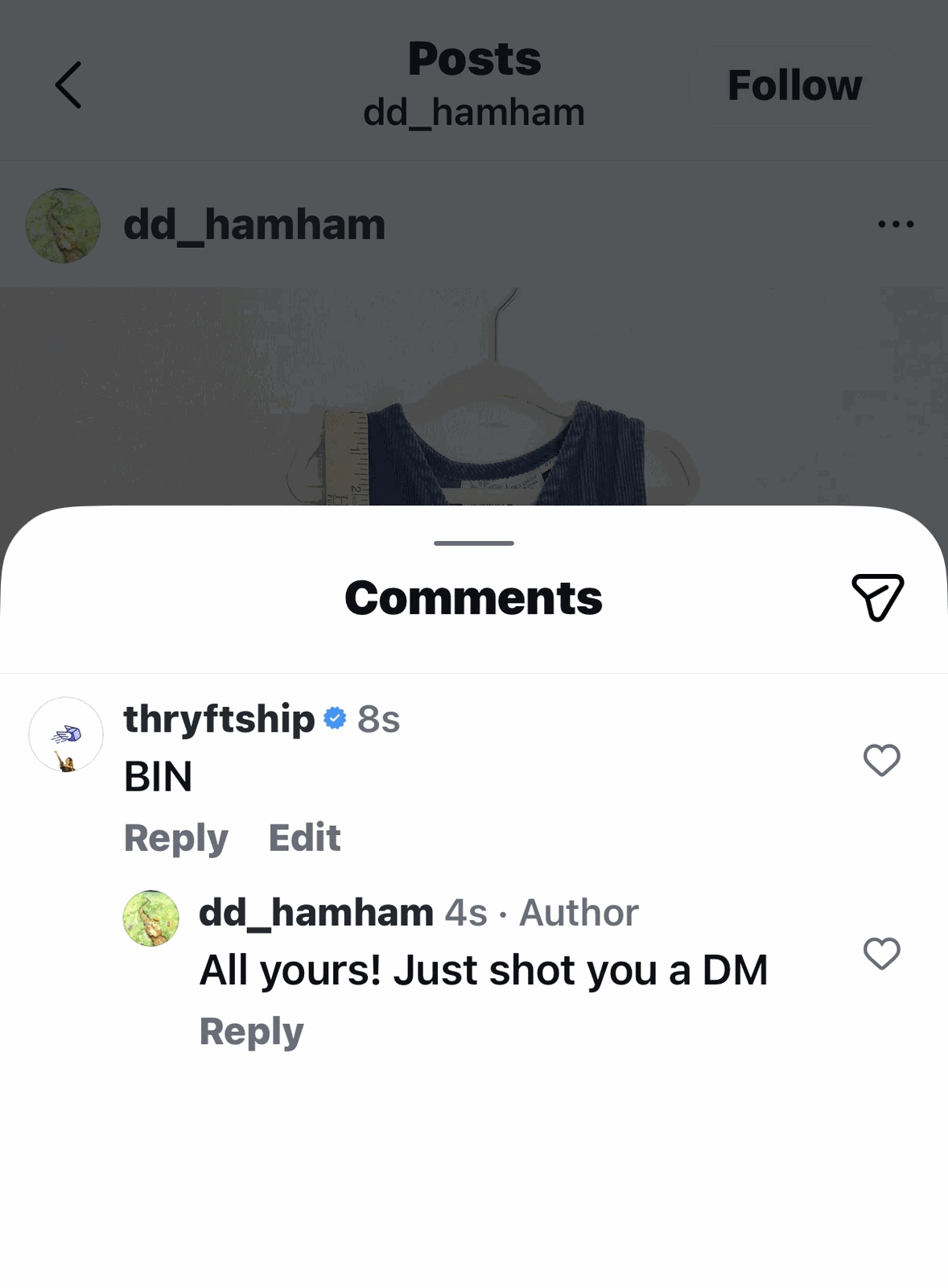
If you’ve set a Buy It Now (BIN) price, any bid at or above it wins the item instantly — the drop doesn’t wait for the auction to end. (BIN is just a price threshold, not a separate mode.)
Example: your BIN is $25. Someone comments “25” (or more) → they win it right away.
New to the two options? See Bids vs. Buy It Now.
Replies you can customize
All of these live in your Sales Assistant settings under Comment Behavior & Automation. Turn each one on or off, and write it in your own voice:
| Reply | What it does | Variable you can use |
|---|---|---|
| Auto-reply to bids | Confirms valid bids and rejects invalid ones in the comments. You can word both the Accepting a Bid and Rejecting a Bid messages. | {current_bid_price} (in the rejection) |
| Outbid notice | Lets a customer know they’ve been outbid, so they can jump back in. | {current_bid_price} |
| BIN notice to top bidder | Tells the current top bidder the item was purchased through Buy It Now. | — |
| Winner notification | Lets your winner know they’ve successfully claimed the item. | — |
| Reply on a sold item | Auto-replies when a customer comments on an item that’s already sold. | {item_name} |
| BIN Claimed Response | Fires when a buyer bids or BINs an item that’s already been claimed at Buy It Now but hasn’t finished checkout — instead of a generic “thanks for bidding” reply. The default lets them know they’re next in line if the claim falls through. | — |
| Payment confirmation | The message a buyer gets once their payment goes through. | — |
{current_bid_price} fills in the real number when the comment posts — so “The bid is already at {current_bid_price}!” goes out as “The bid is already at $14!”
How questions are handled
When a comment is a question rather than a bid (“what size is this?”, “does it have flaws?”), the assistant flags it for you in your Sales Assistant Dashboard so you can answer it personally.
Caption tips
Clear captions help the assistant (and your buyers) read bids correctly. For the recommended caption format and how editing works, see How Captioning Works.
Common questions
Do buyers need to comment a special word?
No — they just comment a number. The assistant reads the bid amount automatically.
What’s the minimum bid increment?
$1 — each new bid must be at least a dollar more than the current high bid.
What happens when the drop ends?
The highest bidder on each item wins and gets a checkout link. See How Checkout Works.
Questions about how the assistant read a comment? Reach out — we’re glad to look.


