
How Captioning Works in the Sales Assistant
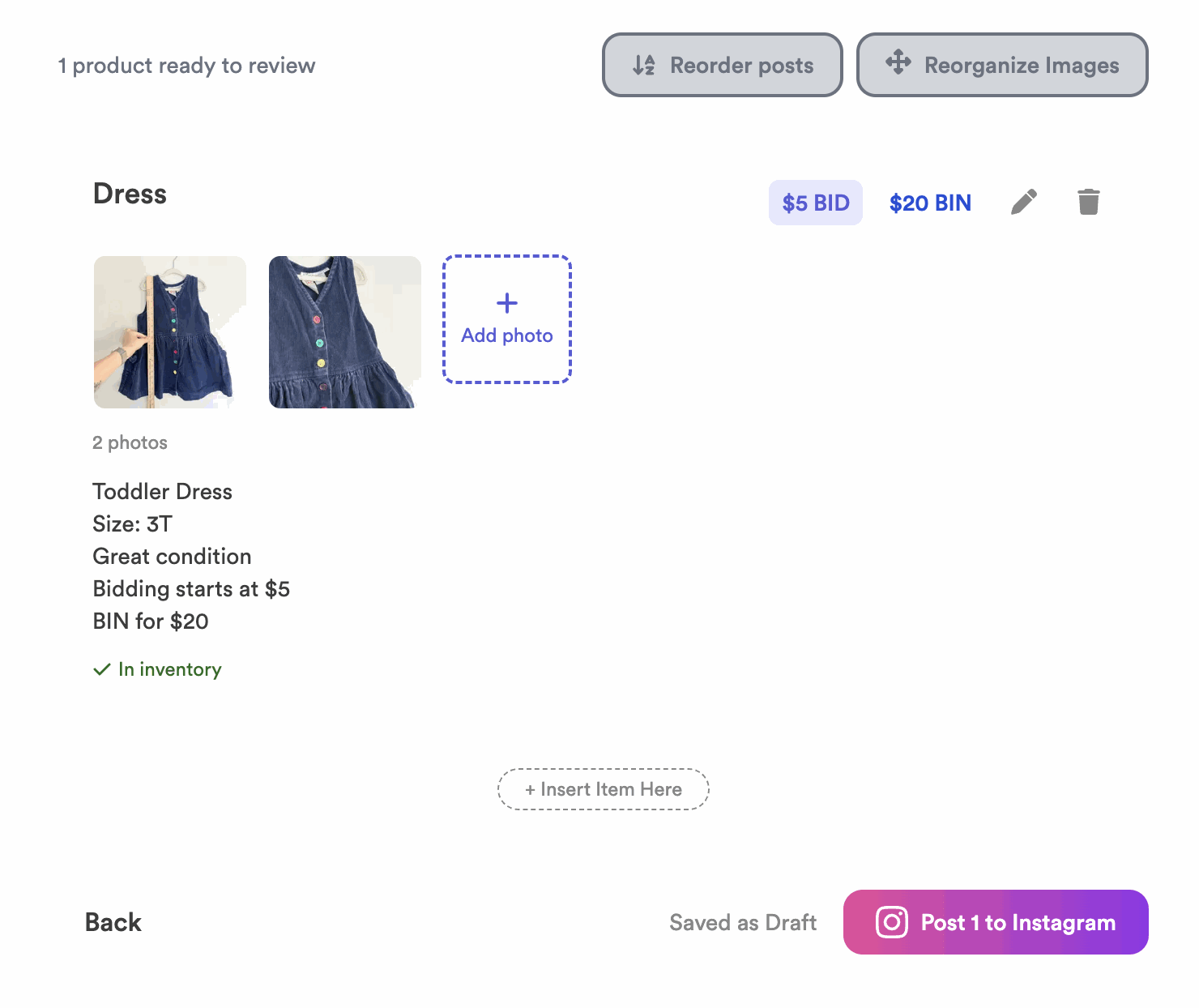
When you create a drop, the Sales Assistant writes a caption for each item in your voice. Before anything posts, you get a review screen to fine-tune it all — photos, order, captions, and prices.
- The assistant auto-writes captions in your caption voice.
- On the review screen you can reorder photos, change posting order, edit captions, and set prices.
- If you change a price in the caption text, change it in the price field too so they match.
How captioning works
For each item in your drop, the assistant drafts a caption based on your photos and the tone you set during Setup. You don’t have to write captions from scratch — just review and tweak.
What you can edit before posting
Everything on the review screen is editable. Here’s what each button does:
- Click the Reorganize Images button to reorder the photos within an item.
- Click the Reorder Posts button to change the order your items post in.
- Click the pencil icon to edit that item’s caption.
- Click the bin (trash) icon to delete an item.
- Click the Insert Item Here button at the bottom to add a new item.
- Click Add Photo to add a photo to an item.
- Click Post when you’re ready to publish.
How bid & Buy It Now pricing reads in captions
Captions typically show the starting bid and, if you use it, the Buy It Now price, so customers know how to bid. For how those actually work once comments come in, see Bids vs. Buy It Now and How Comments Work.
What happens after you hit Post
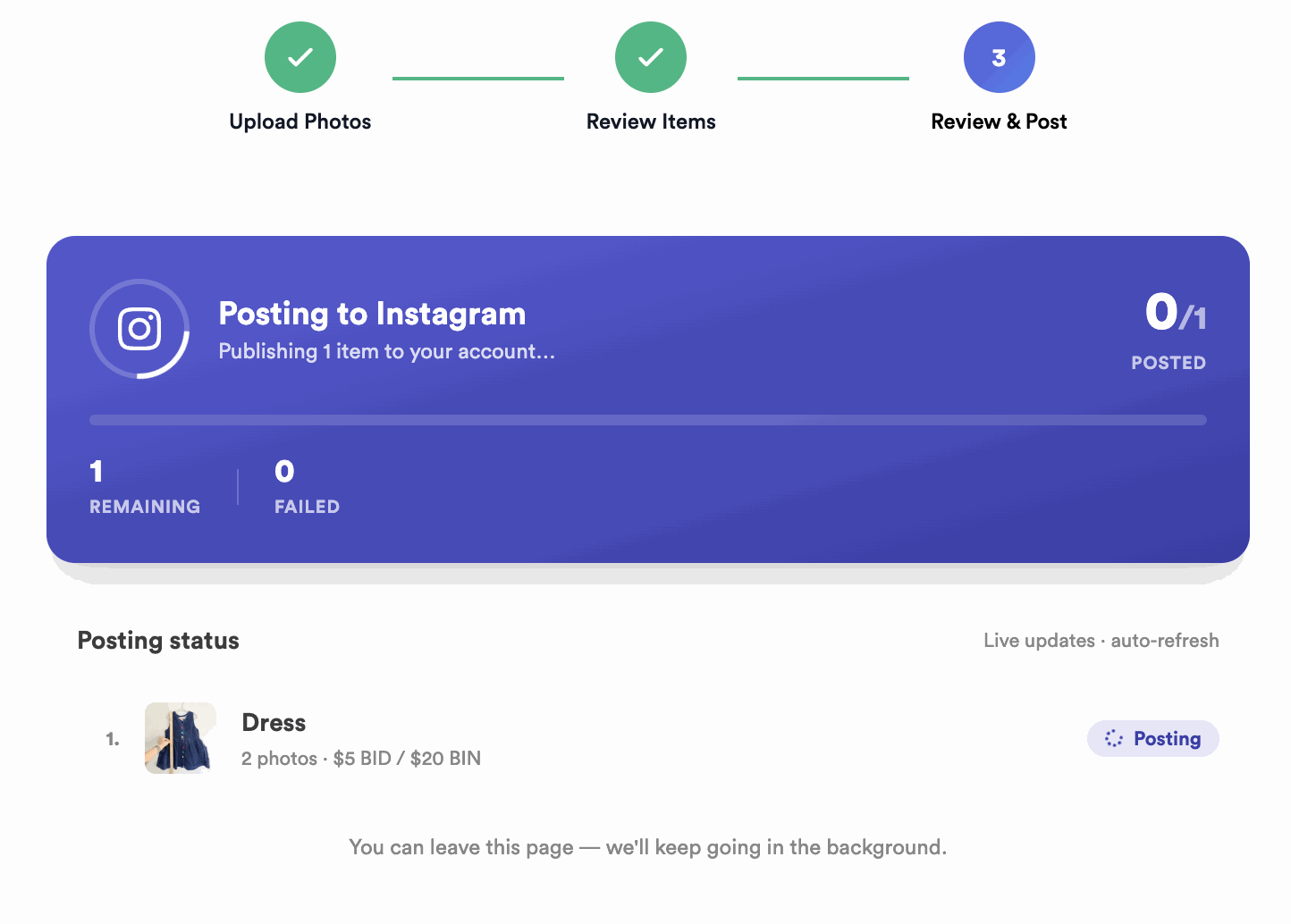
When you hit Post, your items don’t all go up at once. They post one at a time, about a minute apart, and you can watch the progress right on the screen as each one goes live.
Posting a big drop? Instagram allows up to 50 automated posts per day — see What to Do If Your Drop Has More Than 50 Items.
Common questions
Do I have to write my own captions?
No — the assistant drafts them in your voice. You just review and edit if you want.
I changed the price in the caption — is that enough?
No. Also update the price field for that item, or the caption and the actual bidding price won’t match.
Can I change the order items post in?
Yes — reorder items (and the photos within them) on the review screen before posting.
Ready to set up your drop? See Create Your First Drop.


