
What to Do If the Price Doesn’t Match Your Caption
If the price Thryft Ship has doesn’t match what your caption says (or the other way around), here’s how to line them back up.
- Fix the price in Inventory so the item is right going forward.
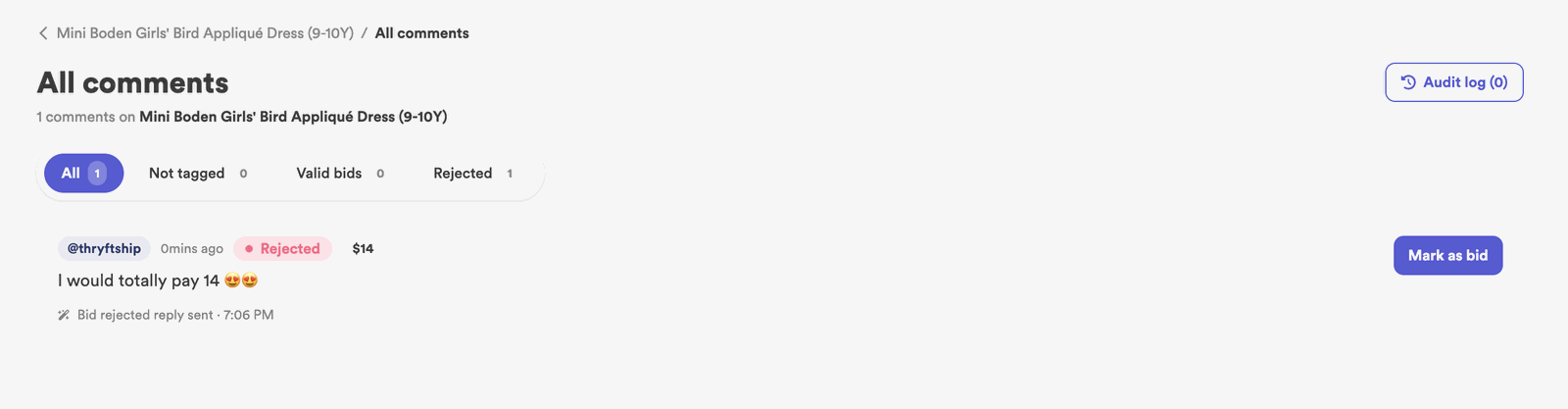
- In the comment view, mark the correct bids as accepted.
- If the caption is the wrong one, edit it on Instagram.
Prefer to watch? This clip jumps to the exact fix for a price that doesn’t match your caption.
Why it happens
The price on the item and the price written in your caption can drift apart — usually when one was edited and the other wasn’t. The good news: it’s a quick fix, and you choose which price is the correct one.
How to fix it
-
Fix the price in Inventory
Update the item’s price in your Inventory so it’s correct from here on.

-
Fix bids in the comment view
Open the item’s comments and mark the correct bids as accepted, so the right amounts are recorded. See Comment Didn’t Get Picked Up.
-
Fix the caption (if that’s what’s wrong)
If the caption is the one with the wrong price, edit the caption directly on Instagram so customers see the right number.
Common questions
Which price “wins” for bidding?
The price in the system (your item/price field) is what the Sales Assistant uses to read bids — the caption is just what customers read. Make the field correct, then fix the caption to match.
A bid came in at the wrong price — can I fix it?
Yes — in the comment view you can mark the correct bid as accepted. See Comment Didn’t Get Picked Up.


