
How Checkout Works (and What Happens When a Drop Ends)
When your drop ends, the Sales Assistant turns each winner into an order and sends them a checkout link to pay. Here’s exactly what happens — and what your customer sees.
- When a drop ends, the highest bidder on each item wins (a Buy It Now bid usually wins instantly).
- Each winner gets a checkout link by comment and DM, and pays within your deadline.
- Checkout shows the item, shipping, and total — returning buyers’ info pre-fills.
What happens when your drop ends
When the auction time runs out (or you end the drop early), the assistant finalizes every item:
- The highest bidder on each item becomes the winner. A Buy It Now bid normally wins instantly — unless you’ve turned on Delayed BIN, which holds Buy It Now wins until the drop ends.
- Each winner is sent a checkout link — by comment and by DM — to complete payment.
- Winners have until your payment deadline (up to 24 hours) to check out.
When a customer wins an item
The winner taps their checkout link and lands on a simple, secure checkout page.
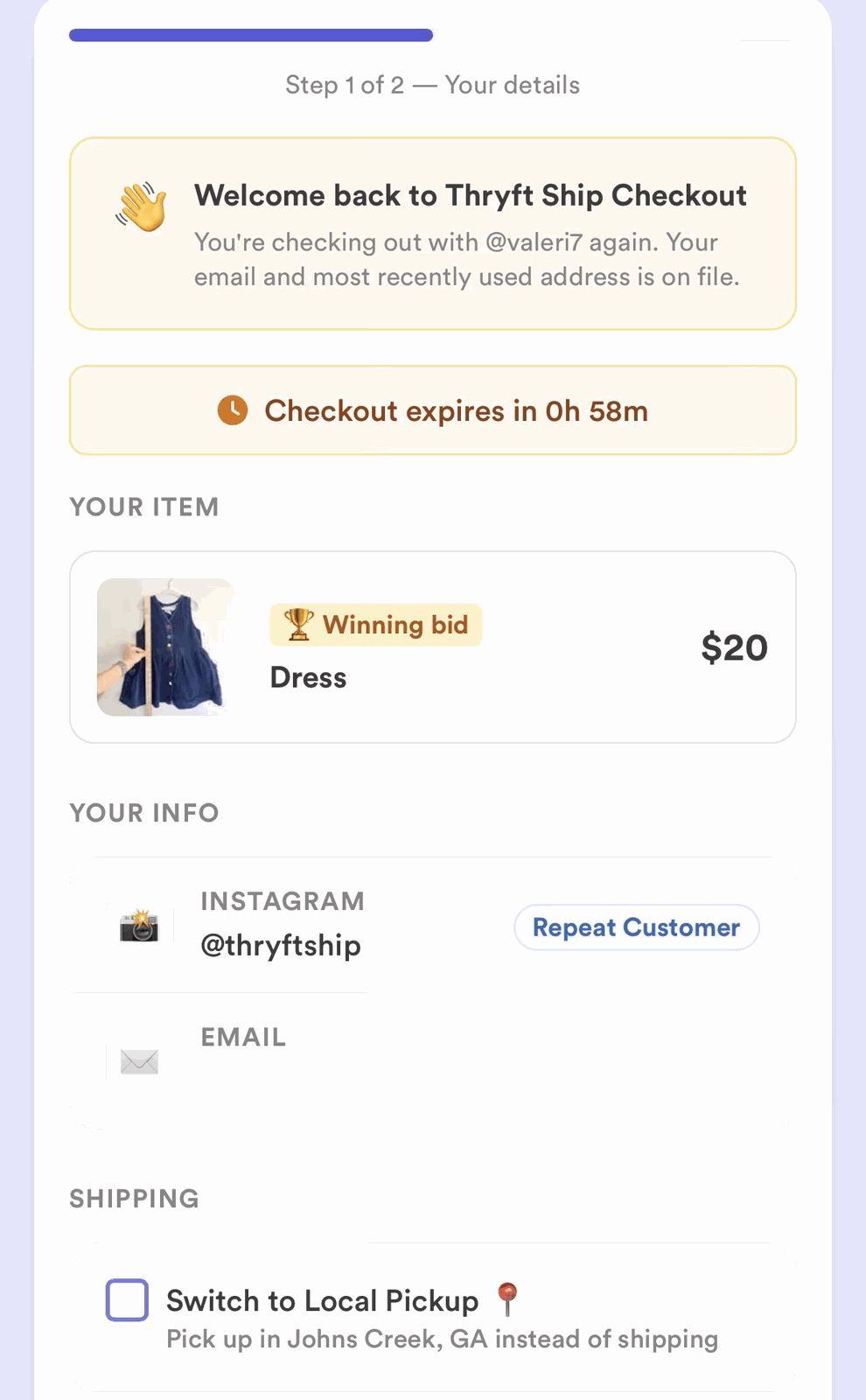
What the checkout link includes
- The item they won and the winning price.
- Shipping — added automatically if you use a shipping rule, or the amount you set.
- The total, plus a spot to enter their shipping address and pay.
- Won more than one item in the same drop? They’re combined into one checkout link and one message — your customer pays for everything together.
Returning buyers
Checkout is even faster for customers we already recognize, because their saved details pre-fill:
- Repeat customer — they’ve bought from you before.
- Universal Customer — they’ve bought from any Thryft Ship seller before. More in How Universal Customers Work.
Shipping at checkout
If you’ve turned on automatic shipping calculation, the shipping charge is added for you (flat, tiered, or a free-shipping threshold). Local pickup orders are never charged shipping, and buyers can choose local pickup at checkout if you offer it.
Open bags
With open bags, your customer still pays for each item as they win it (or for multiple items from the same drop). The open bag doesn’t bundle the payment — it flags the order so you know not to ship yet, because that buyer may keep winning items across your next drops. Once their bag closes, you can ship everything together and save on postage.
Checkout reminders
If a winner hasn’t paid, the assistant can send payment reminder DMs automatically (you set this in your settings). If they still don’t pay, see When a Winner Doesn’t Pay.
Common questions
How long does a winner have to pay?
Up to your payment deadline — a maximum of 24 hours after they win.
Is shipping included in the checkout total?
Yes, when you use a shipping rule or set an amount. Local pickup orders aren’t charged shipping.
What if the winner never checks out?
You can offer the item to the next bidder, resend the link, or sell it to someone else — see When a Winner Doesn’t Pay.
Want the full money side? See the complete Payments guide.


