
How Customers Pay with Thryft Ship Payments
An order becomes a payment the same simple way every time — the only question is who fills it in. Pick your path:
How do you make your orders?
I make the order — my customer just paysYou add the items and cost; they pay and add their address. I let my customer do it allThey add their handle, items, how much to pay, and address. What’s the difference?A quick compare of both.- An order is created with the customer’s Instagram handle and item(s) — it shows as Owed.
- Shipping is set (a manual amount or automatic calculation).
- The customer opens your link and pays — fully automatic with the Sales Assistant.
When you make the order
You build the invoice, your customer just pays it:
-
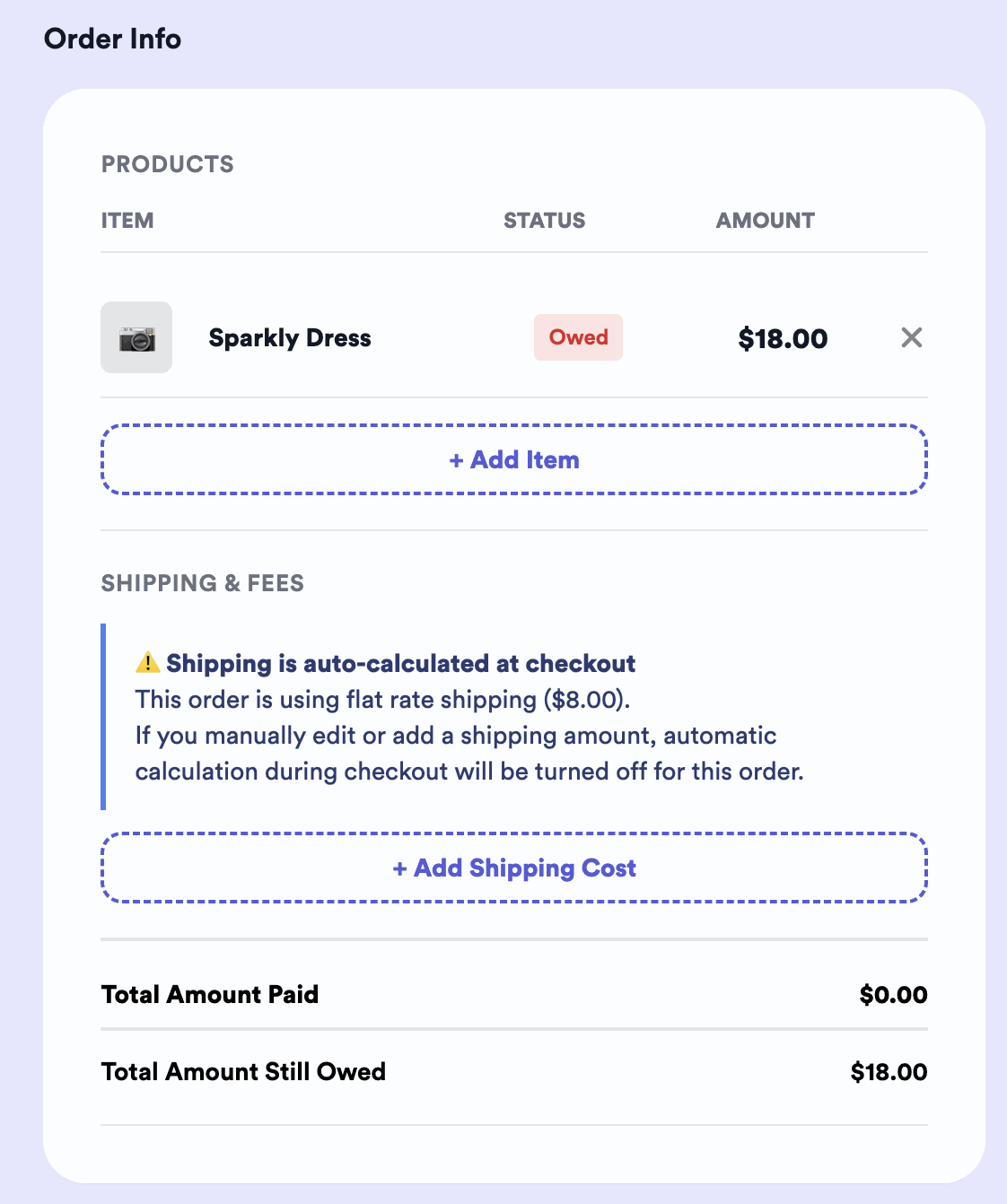
Add the handle and item(s)
Enter the customer’s Instagram handle and their item(s). The order gets a status of Owed, showing exactly how much they owe. (With the Sales Assistant, this happens automatically.)
-
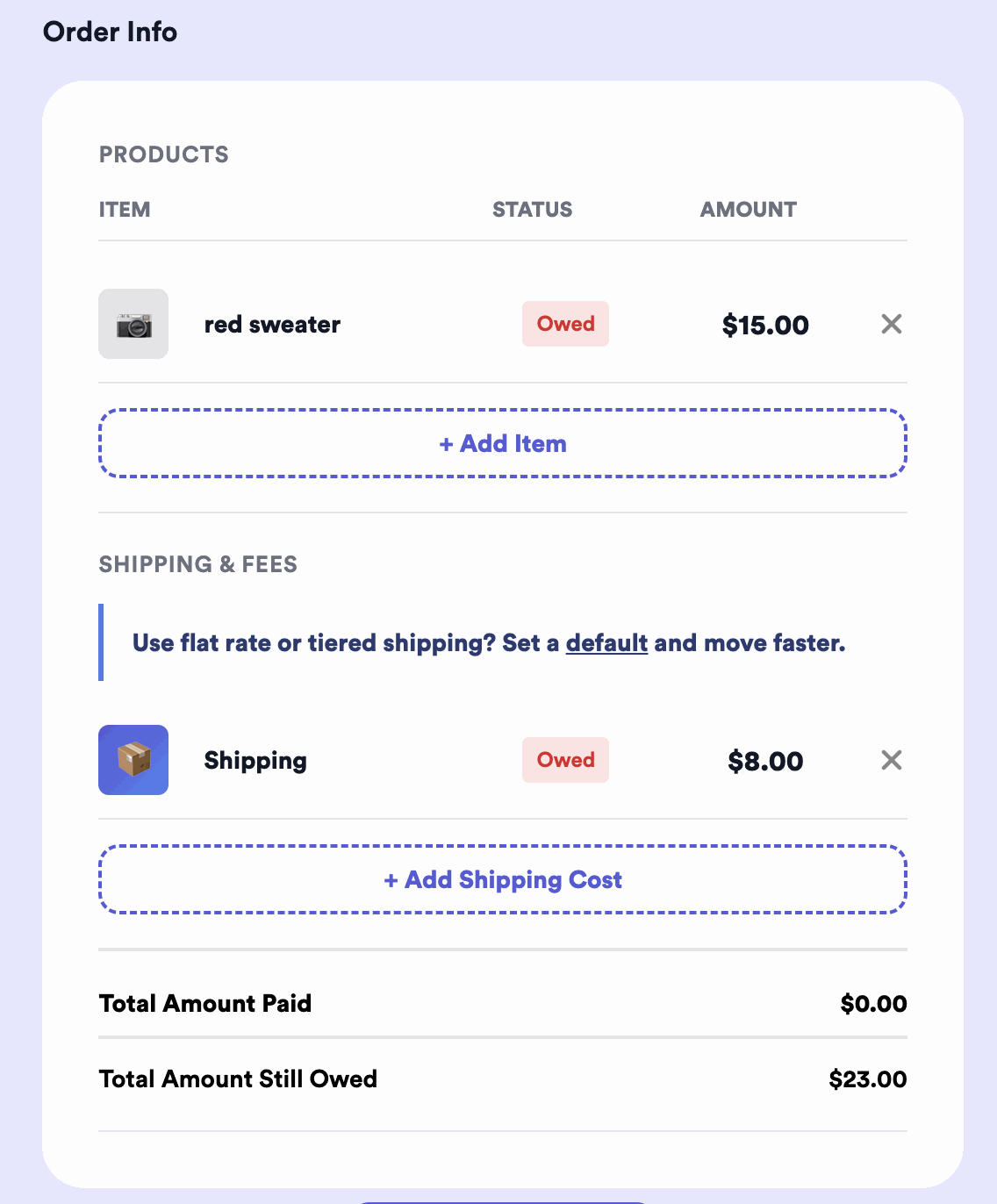
Set shipping
Add a manual shipping cost, or use automatic shipping calculation.
-
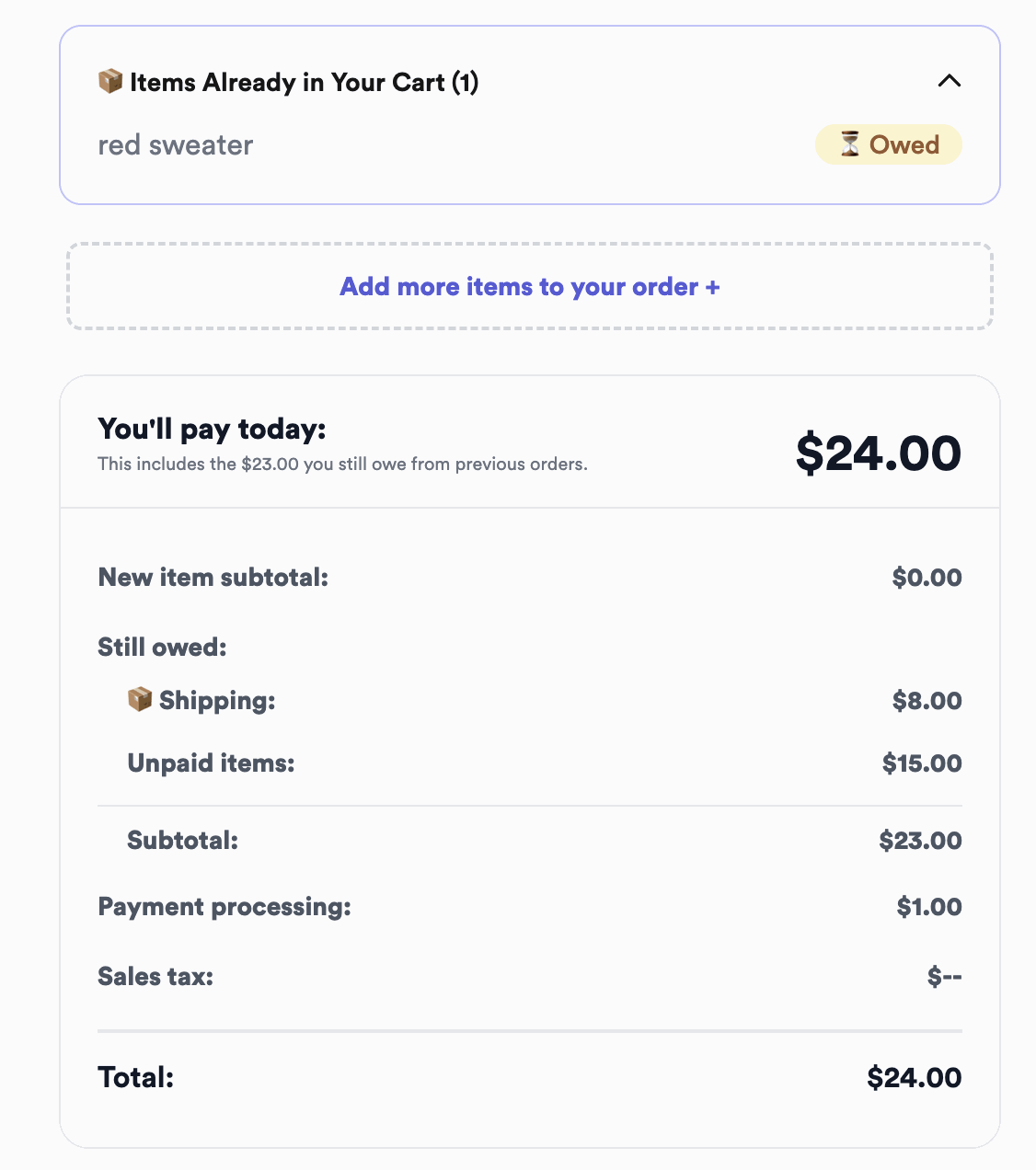
They pay
When the customer enters their Instagram handle on your link, the invoice is already there — they see the breakdown, add their shipping address, and pay.
When your customer makes the order
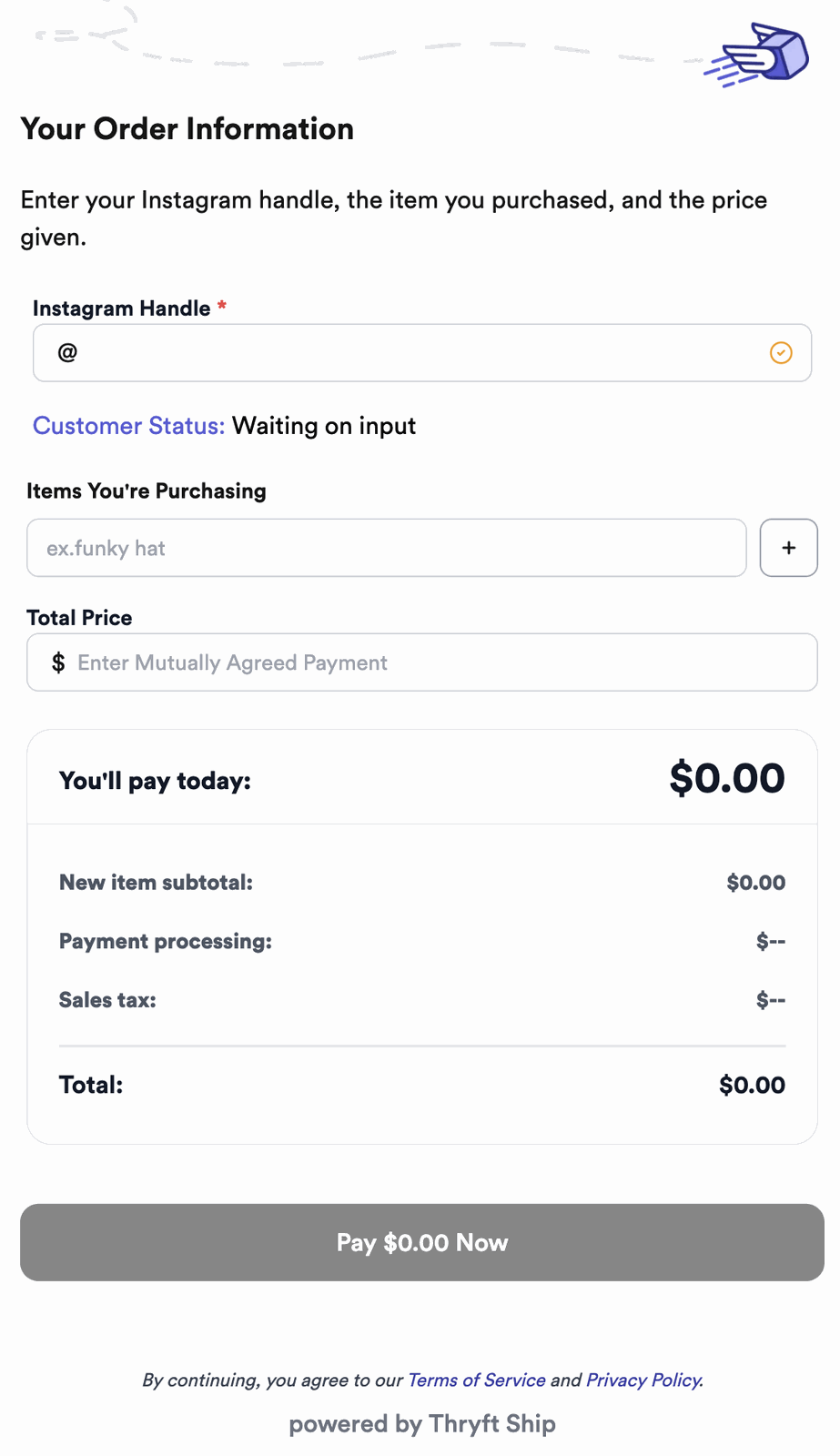
Share your link and the customer enters their own handle, item(s), how much to pay, and shipping address. They put in the amount based on what you tell them to enter.
If you have automatic shipping on, shipping is added to their total for you. If it’s off, include shipping in the amount you tell them to enter.
Adding items: type or pull from Inventory
You (or your customer) can type an item name — or, better, use Thryft Ship Inventory to pull in the exact item with its photo. That helps you when packaging and helps your customer pick the right item.
What’s the difference?
Exact & controlled
You set the items, price, and shipping before they pay. Best when you want it precise.
Less work for you
They enter their own details and pay. Best for volume and self-serve.
The fastest path: Sales Assistant
With a Sales Assistant subscription, it’s all done for you and the customer — when someone wins, they get their checkout automatically and just hit Pay. They don’t even enter their Instagram handle on the Sales Assistant checkout link.
Common questions
What does “Owed” mean on an order?
It’s an order that’s been created but not yet paid — it shows the amount the customer owes until they check out.
If my customer makes the order, how do they know what to pay?
They enter the amount you tell them. If auto-shipping is off, include shipping in that amount; if it’s on, shipping is added for them.
Does the customer have to enter their handle?
On a regular link, yes — it ties them to the invoice. On a Sales Assistant checkout link they don’t; they just pay.


